
AudioPaper: Building My Own NPR-Style Podcast Generator
How I built a personal NPR-style podcast from academic papers using AI and local text-to-speech.
GitHub RepoAnyone who knows me knows I drive a lot. As a soccer coach, I can easily drive up to 300 miles during the week for practices and another 400 miles for games. That is a lot of hours spent driving. Often, I try to be productive with my time by listening to podcasts on a variety of subjects, but even then, I run out of ones I trust to provide reliable information, especially when there are so many traditional news articles I could be reading that may go more in-depth. There are tools to solve this issue, such as Google NotebookLM, which takes written content and generates podcast-style audio. But those often require additional subscriptions, not to mention Google's track record of canceling/sunsetting services after only a few years. And why pay for another subscription when I have a bunch of free AWS credits, can run it locally, and can design it to function however I see fit?
Vision
My vision was for a system that would automatically download articles from news sources I trust and have validated. Then, taking those articles and using both a text-to-speech model and an LLM to provide intros and summaries of each paper, creating a NPR-style podcast of journals, papers, and articles that interest me for my long drives.
Something I was very keen on from the start was hearing the words someone actually wrote. I knew I could have used an LLM to summarise the articles and cram even more information into the time I had to listen, but that was never my goal. I wanted to embrace and listen to these articles and journals for the details and to appreciate what the author intended for me to learn in the truest form.
Scraping
I wanted to start with the publication source. I chose to use Springer Nature for two main reasons. First, they provide plenty of free, high-quality articles and journals in spaces I am interested in learning more about, from AI to Space to Biology. The second reason is that Springer Nature provides PDFs of their editorials and articles that are easily parsed using PyPDF. Many articles and journals released from other publications are in formats that are either scanned or difficult to parse.
To navigate between articles and download the files, I used Playwright to find the article pages and the download links on those pages. The scraper visits the issue index, collects every article card, and then visits each one individually to grab the PDF download link:
# Collect article links from the issue index page
articles = await page.evaluate("""() => {
    const results = [];
    const cards = document.querySelectorAll('article[data-test="article"]');
    cards.forEach(card => {
        const typeEl = card.querySelector('[data-test="article-type"]');
        const linkEl = card.querySelector('a[data-track-action="view article"], h3 a');
        if (linkEl) {
            results.push({
                type: typeEl ? typeEl.textContent.trim().toLowerCase() : "unknown",
                title: card.querySelector('h3')?.textContent.trim(),
                href:  linkEl.href,
            });
        }
    });
    return results;
}""")
One challenge was paywalled articles. Springer Nature shows a purchase/access page instead of the PDF for content behind a subscription. Paywalled articles are still recorded in the database with their metadata, so if a user wants to go back and either manually upload an article they bought or can provide the proper institutional code, the AudioPaper can redownload those files and read them to the library.
Parsing with Bedrock/Claude
Once all the PDFs were downloaded, I used Anthropic Claude Sonnet (via AWS Bedrock) to parse each article into structured data that is easily saved to a SQLite database, extracting the title, body, publication date, journal name, and other metadata, as well as generating a short summary and topic tags for later filtering.
The prompt instructs Claude to return only a JSON object, which is then validated and inserted into the DB:
prompt = f"""You are parsing an academic journal article. Extract the following fields
and return ONLY a JSON object with no other text:
{{
"title": "full article title",
"publication_date": "...",
"journal_name": "...",
"tags": ["3-6 topic tags"],
"summary": "2-3 sentence plain-English summary of key findings",
"body": "full main text, preserving paragraph breaks as \\n\\n",
"references": ["each reference as its own string"]
}}
--- ARTICLE TEXT ---
{raw_text}
"""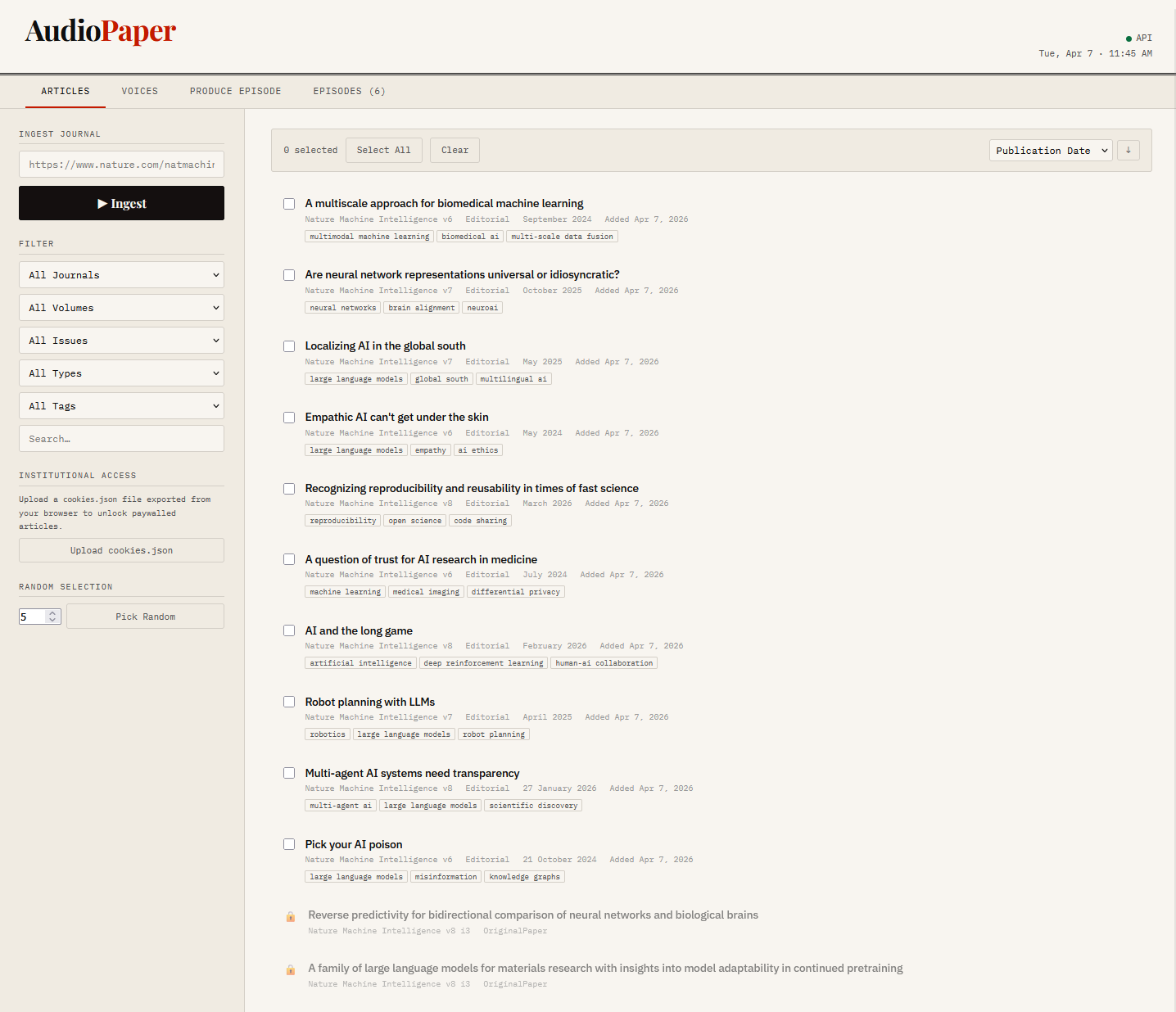 The article list with ability to download and select articles to listen to
Text to Speech
Text-to-speech is the key to building this whole system. I had used online systems such as AWS Polly in the past, but I found that it quickly racked up a lot of credits and didn't offer many voices I felt I could listen to for a long time. To save money, I looked at open-source solutions I could run locally instead of sending them to an external system. I landed on Kokoro, it provided several voice options and a straightforward Python package with no external API calls.
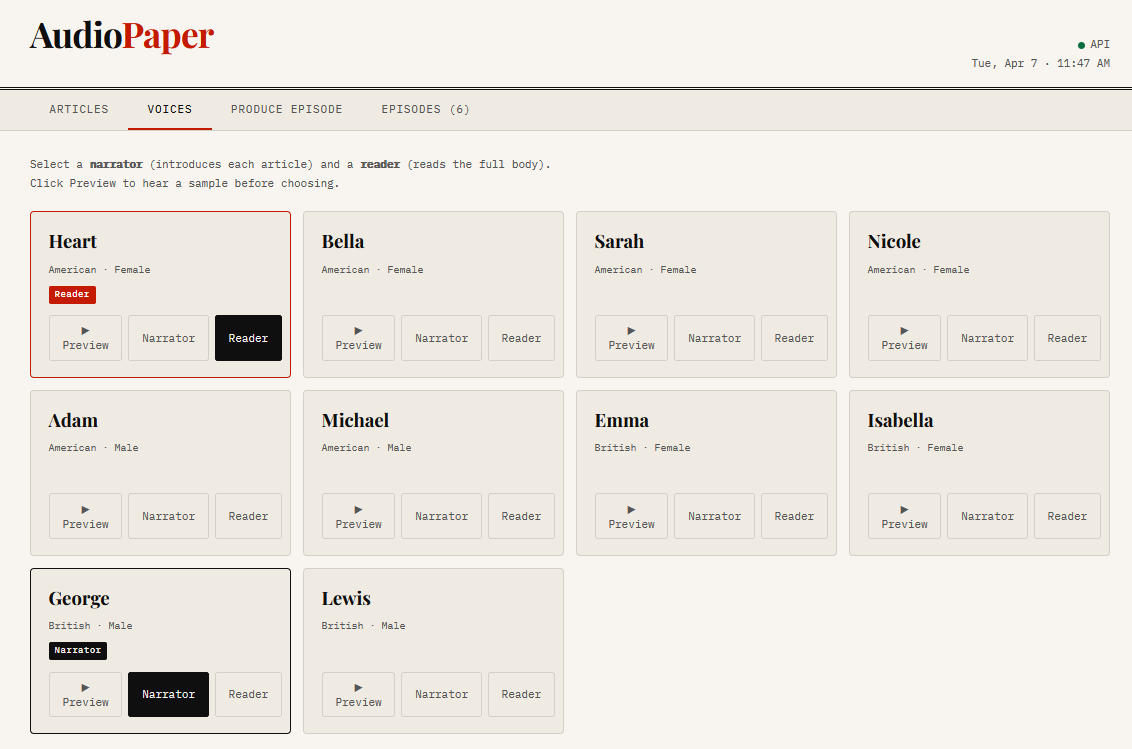 Voice selection screen showing narrator and reader options
The episode structure uses two voices: a narrator who introduces each article from its summary, and a reader who reads the full body. A third Claude call writes a fresh intro and outro for each episode so it never sounds like a generic template:
# Two-voice episode structure
NARRATOR_VOICE = "bm_george"   # British male - introduces each article
READER_VOICE   = "af_heart"    # American female - reads the body

# Episode flow:
# [intro] → per article: [narrator intro + summary] [pause] [full body] → [outro]
for i, article in enumerate(valid_articles, 1):
    intro = f"Article {i}: {article['title']}. {article['summary']}"
    segments.append(_speak(intro, narrator_voice))
    segments.append(_silence(PAUSE_SHORT))
    segments.append(_speak_long(article['body'], reader_voice))
    segments.append(_silence(PAUSE_LONG))
The whole episode is stitched together into a single WAV file with chapter timestamps saved alongside it so users can easily change the article they are listening to and have finer control.
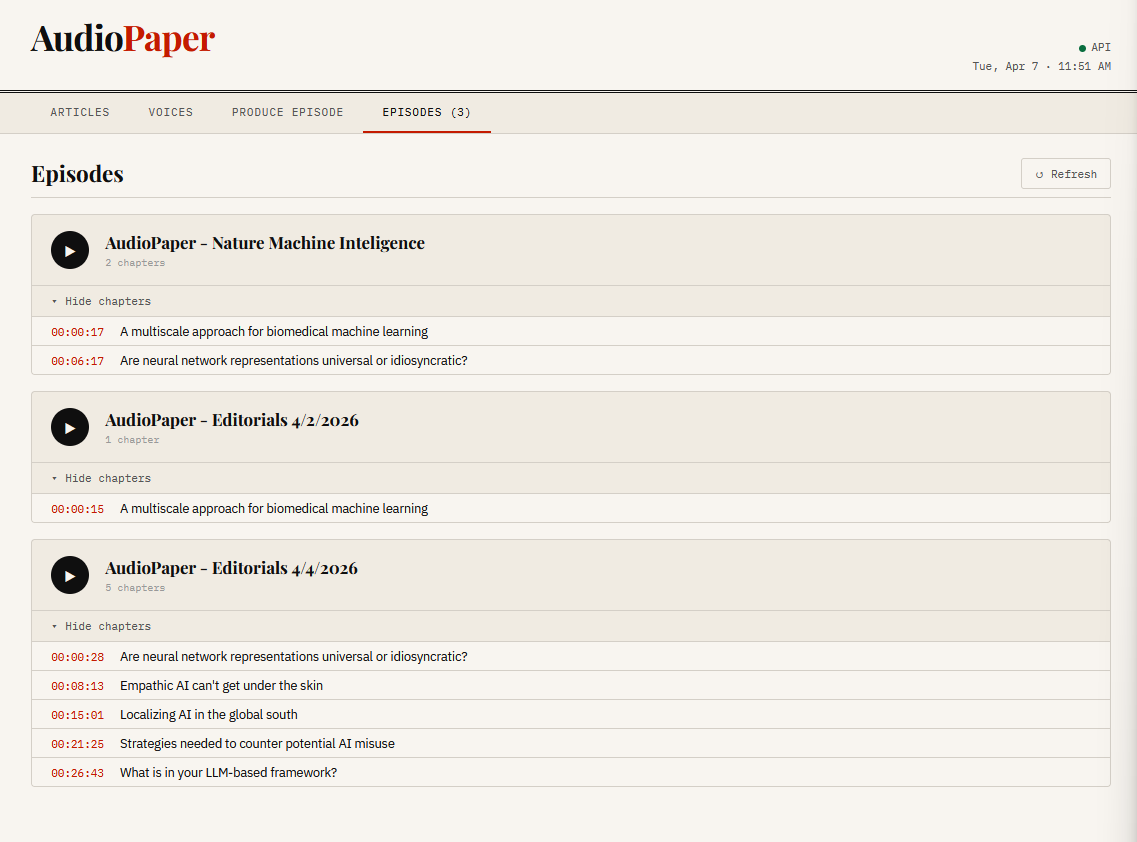 Episodes tab showing produced episodes with chapter markers
The Result
By combining text-to-speech with saved PDFs, I was able to select multiple articles and parse them into a single audio file that introduced and read each article. I also built a nice, easy-to-use frontend that lets me quickly download articles and combine them with any voice I want into a podcast I can listen to or download to another device. Springer Nature is somewhat limiting: it offers only some articles for free, and the rest are paid, but it is still a good way to supplement my listening time in the car.